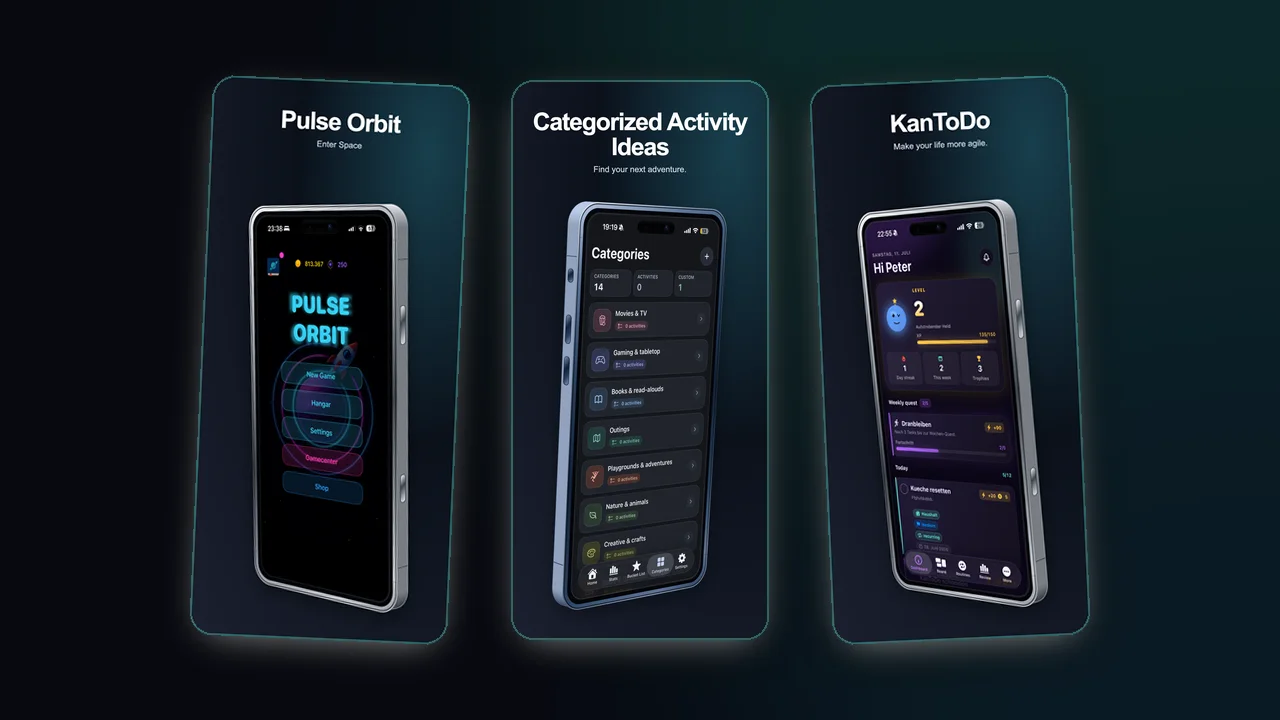
Why sizes matter
Screenshot dimensions are not just a technical export detail. They shape how much copy fits, how large the device can be and whether your layout still reads in search results.
Apple currently accepts between one and ten screenshots per supported device size and localization in JPEG, JPG or PNG format. When the interface is identical across device sizes, App Store Connect can scale the highest-resolution screenshots down automatically. That makes a high-resolution master useful, but it does not remove the need to review every generated size.
Planning the set
| Decision | Recommendation | Why it helps |
|---|---|---|
| Orientation | Use portrait unless the app experience is naturally landscape | Portrait screenshots fit most mobile listing journeys |
| First screen | Make it the clearest value statement | Search visitors may only see one or two assets |
| Text length | Treat every line like interface copy | Large, direct language survives thumbnails |
| Device frame | Use realistic framing when it supports trust | It shows the app is real without overwhelming the message |
Current Apple size groups
Apple maintains a longer device-by-device specification, but most iPhone production workflows can be organized around the largest portrait groups below. Landscape uses the same values with width and height reversed.
| Display group | Portrait pixels | Typical use |
|---|---|---|
| 6.9-inch iPhone | 1320 x 2868, 1290 x 2796 or 1260 x 2736 | Current large iPhone group |
| 6.5-inch iPhone | 1284 x 2778 or 1242 x 2688 | Older large iPhone group |
| 6.3-inch iPhone | 1206 x 2622 or 1179 x 2556 | Current standard iPhone group |
| 6.1-inch iPhone | 1170 x 2532, 1125 x 2436 or 1080 x 2340 | Standard iPhone compatibility |
Apple changes the supported groups as hardware evolves. Treat this table as production guidance and verify the exact target in the official specification before every release.
iPad, Mac and other platforms
Do not stretch an iPhone composition into an iPad canvas. iPad screenshots need to demonstrate the tablet experience. Apple also defines separate specifications for Mac, Apple TV, Vision Pro and Apple Watch; for example, Mac screenshots use a 16:10 aspect ratio and Apple TV uses 1920 x 1080 or 3840 x 2160.
Build around safe zones
Keep important text away from the edge of the canvas. Store surfaces, previews, rounded corners and device overlaps can make edge-heavy layouts feel cramped.
Text safe zone
Keep headlines inside a generous center area. A strong screenshot usually has fewer words, not smaller text.
Device safe zone
If the device is the hero, let it breathe. If the message is the hero, crop the device more aggressively and show only the proof-bearing part of the UI.
Export checklist
- Use a consistent type scale across the set.
- Check every screenshot at thumbnail size.
- Keep backgrounds consistent but not identical.
- Export clean PNGs unless file size becomes a store workflow issue.
- Review screenshots in the exact order they will appear.
- Confirm the final dimensions in App Store Connect before upload.
- Keep an editable master because approved screenshots require a new app version to be changed.